
Key findings
Each finding has its own link and a copy button that includes the source.
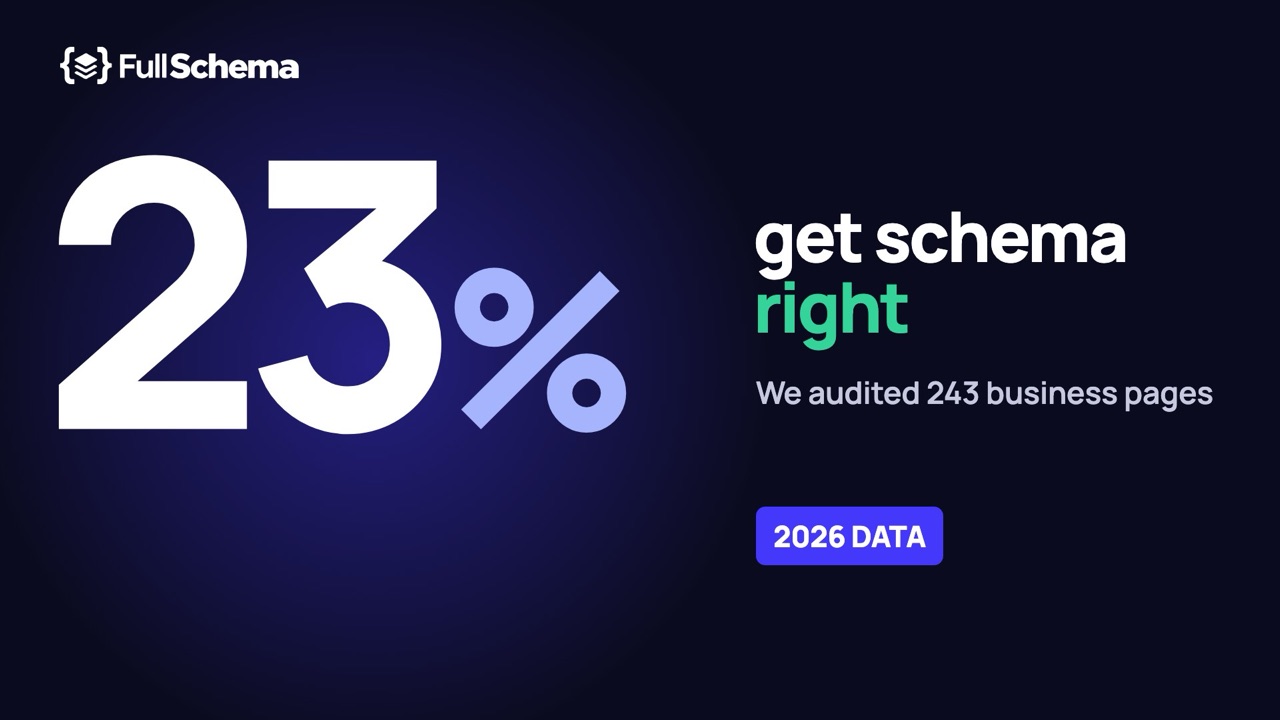
23%
Only 23% of the 243 business web pages we checked had schema markup that was complete and correct: JSON-LD with a type that fits the page, no errors, and the key facts the page shows, matching the page.
87%
87% of the pages had structured data of some kind, but only 27% of those passed all four of our quality checks.
23%
Only 23% of local business pages used the most specific schema.org type for the business, such as Dentist or Florist rather than LocalBusiness or Organization.
55%
On local business pages with JSON-LD, the street address shown on the page was missing from the markup 55% of the time. The phone number was missing 42% of the time.
22%
22% of pages with JSON-LD had at least one error on a field Google requires for rich results, such as a business address, a breadcrumb URL or a review count.
35%
35% of the Squarespace pages that carried a LocalBusiness block had a blank one: no business name, an empty address and empty opening hours.
6 of 70
On 6 of the 70 pages where we could compare phone numbers, the number in the markup did not match any number shown on the page.
0 of 13
None of the 13 product pages that showed a shipping cost had shipping details in their markup. Google uses them in shopping results.
5 of 23
Only 5 of 23 SaaS product pages described the product as a SoftwareApplication. 8 had no structured data at all, and the rest mostly described the company and the website.
The study in four minutes. Watch on YouTube
How many websites use schema markup?
87% of the pages we checked had structured data, and 85% had JSON-LD, the format Google recommends. 6 pages used only the older Microdata format and 31 had nothing at all. But only 23% of pages passed all four of our quality checks.
Adoption is high because most website builders add a basic block on their own. Local businesses (90% of pages) and online stores (88%) were close. SaaS websites trailed: 15 of 23 pages had any structured data. Custom-built sites (13 of 38 without markup) and Webflow (7 of 15), where nothing is added unless someone writes it, had the most pages with nothing at all.
- JSON-LD
- Microdata only
- No structured data
View data
| Group | JSON-LD | Microdata only | No structured data | Pages |
|---|---|---|---|---|
| All pages | 206 | 6 | 31 | 243 |
| Local businesses | 136 | 4 | 16 | 156 |
| Online stores | 43 | 2 | 6 | 51 |
| SaaS | 15 | 0 | 8 | 23 |
On 10 of the 205 JSON-LD pages where we also saved the server HTML (5%), the markup was missing from the HTML the server sent and appeared only after JavaScript ran, usually from an app or a tag manager. Google can still read it after rendering, but many other crawlers and AI tools read the raw HTML only.
How many pages have complete, correct schema markup?
Only 57 of 243 pages (23%) passed all four checks. Most pages had markup, and most of that markup fell short.
We held every page to the same bar, using only what the page already shows a visitor:
- It has JSON-LD, the format Google recommends.
- The type fits the page. The most specific type or a broader one from the same family: Dentist and LocalBusiness both pass on a dental practice. Organization or WebSite alone does not.
- No errors. No missing field that Google requires for rich results, no broken JSON, and nothing that breaks schema.org's rules, such as a made-up type or plain text where an object belongs. Format warnings, such as an image URL without https:, don't count against the page.
- The key facts are there and match. On pages about a business, the phone number, street address and opening hours, if the page shows them. On product pages, the price, stock status, rating and review count, if the page shows them. Nothing in the markup contradicts the page.
Each step counts the pages that also passed every step above it.
View data
| Step | Pages | Share of all pages |
|---|---|---|
| All pages checked | 243 | 100% |
| 1. Has JSON-LD | 206 | 85% |
| 2. Type fits the page | 151 | 62% |
| 3. No errors | 93 | 38% |
| 4. Key facts there and matching | 57 | 23% |
Pages fell short at every step: 37 had no JSON-LD, 55 stopped at the type, 58 at errors and 36 at the facts on the page. Where a call was close, the page got the benefit of the doubt. One matching value was enough when a page listed several phone numbers, a page that showed no phone, address or hours wasn't marked down for leaving them out, and only contradictions we confirmed by hand counted.
- Complete and correct
- Has markup, falls short
- No structured data
View data
| Group | Complete and correct | Has markup, falls short | No structured data | Pages |
|---|---|---|---|---|
| All pages | 57 | 155 | 31 | 243 |
| Local businesses | 32 | 108 | 16 | 156 |
| Online stores | 15 | 30 | 6 | 51 |
| SaaS | 5 | 10 | 8 | 23 |
The gaps were usually small. Of the 136 pages with JSON-LD that showed key facts, 81 left at least one out, and 71 of those 81 were missing just one or two. For most businesses, the work left is finishing the markup they already have: 149 pages had JSON-LD that didn't pass. The 6 pages with Microdata only weren't checked field by field and aren't among the 57; even if all of them passed, the share would be 26%.
Do pages use the right schema type?
Mostly not as precisely as they could. 31% of all pages described their main subject with the most specific schema.org type. Among local businesses it was 23%: the rest used a broader type such as LocalBusiness or Organization, described only the website, or had no markup.
For each page, two independent AI readers recorded what the page is about and which schema.org type fits it best: a Dentist, a RoofingContractor, a Product, a SoftwareApplication. We then checked the page's markup for that type or one of its subtypes. Online stores scored best (69%) because shop themes write Product blocks. Local businesses (23%) and SaaS (3 of 23) mostly used broader types or described only the company.
- Most specific type
- Right family, less specific
- Only generic or unrelated types
- No structured data
View data
| Group | Most specific type | Right family, less specific | Only generic or unrelated types | No structured data | Pages |
|---|---|---|---|---|---|
| All pages | 76 | 78 | 58 | 31 | 243 |
| Local businesses | 36 | 59 | 45 | 16 | 156 |
| Online stores | 35 | 9 | 1 | 6 | 51 |
| SaaS | 3 | 3 | 9 | 8 | 23 |
The type is the first thing a search engine or an AI assistant learns about a page. Organization says "a company"; Dentist says what the company does and which fields to expect, such as opening hours, accepted insurance and medical specialty.
Before: a dental practice, site graph only (anonymized)
{
  "@context": "https://schema.org",
  "@graph": [
    {
      "@type": "WebSite",
      "@id": "https://example-dental.com/#website",
      "url": "https://example-dental.com/",
      "name": "Example Dental"
    },
    {
      "@type": "Organization",
      "@id": "https://example-dental.com/#organization",
      "name": "Example Dental",
      "logo": "https://example-dental.com/logo.png",
      "sameAs": [
        "https://www.facebook.com/exampledental"
      ]
    }
  ]
}
After: the practice itself, linked to the same graph
{
  "@context": "https://schema.org",
  "@type": "Dentist",
  "@id": "https://example-dental.com/#dentist",
  "parentOrganization": {
    "@id": "https://example-dental.com/#organization"
  },
  "name": "Example Dental",
  "telephone": "+1-555-0100",
  "address": {
    "@type": "PostalAddress",
    "streetAddress": "200 Example Ave, Suite 4",
    "addressLocality": "Springfield",
    "addressRegion": "IL",
    "postalCode": "62701",
    "addressCountry": "US"
  },
  "openingHoursSpecification": [
    {
      "@type": "OpeningHoursSpecification",
      "dayOfWeek": [
        "Monday",
        "Tuesday",
        "Wednesday",
        "Thursday"
      ],
      "opens": "08:00",
      "closes": "17:00"
    }
  ]
}
How to fix it
Keep the site graph your SEO plugin writes and add one block for the business itself, with the most specific type that fits. Link it to the plugin's Organization by @id so the two describe one entity instead of competing.
Not sure which type fits? schema.org lists over 100 LocalBusiness subtypes, from Bakery to VeterinaryCare.
What's on the page but not in the markup
On local business pages with JSON-LD, the markup left out the street address shown on the page 55% of the time, the phone number 42% of the time and the opening hours 43% of the time.
This is the measure we think matters most, and the one most audits skip. A validator only checks the block that exists; it can't tell you that the page shows a phone number, an address and opening hours that the markup never mentions. We compared every fact the page visibly states with the markup on the same page.
Local business pages with JSON-LD. Each bar counts only pages that show that fact. A field counts as present if at least one of the values on the page is in the markup.
View data
| Field | Pages that show it | In the markup | Missing |
|---|---|---|---|
| Phone number | 116 | 67 | 49 |
| Street address | 110 | 50 | 60 |
| Opening hours | 60 | 34 | 26 |
| Email address | 85 | 40 | 45 |
| Logo | 118 | 50 | 68 |
| Social profiles | 101 | 48 | 53 |
| FAQ questions | 25 | 12 | 13 |
A likely reason: many of these blocks come from a theme or plugin that fills them from a few site settings, not from what the page says. A fact that lives only in the page's text never reaches the markup.
Markup that contradicts the page
On 9 pages from 8 websites, the markup stated something the page itself contradicted. Phone numbers were the most common case: 6 of the 70 pages where both the page and the markup had a phone number.
We flagged every page where the markup and the page disagreed on a phone number, price, rating or stock status, then checked each one by hand. We kept only clear cases:
- A climbing gym listed two phone numbers. The markup had one of them with a single digit wrong.
- An Australian fitness club's markup wrote its number without the area code, so it no longer dials.
- Three websites, four pages: the markup carried a phone number that appears nowhere on the page.
- A clothing store's markup used a trade price list, about 17% below the price visitors saw.
- A food brand's page showed 4.6 stars from 638 reviews. The markup said 4.9 from 120.
- A parts store's page said the item was backordered. The markup said InStock.
We left out cases we couldn't settle from the saved page, such as stock that differs by size or prices that change with the visitor's country. The real number is probably higher.
How to fix it
Write the markup from what the page shows today, and check it again when the page changes. Google's guidelines ask that structured data match the visible content; a mismatch can cost the rich result.
Errors Google cares about
22% of pages with JSON-LD had at least one error on a field Google requires. 69% had no Google error and no schema.org vocabulary error.
We split problems into three groups and only call the first one an error. Required fields come from Google's structured data documentation. Vocabulary problems break schema.org rules; search engines may ignore the affected part. Format issues are things we avoid in our own output, but we have not confirmed that Google rejects them, so we report them without calling them errors.
| Group | Problem | Pages |
|---|---|---|
| Google required | A field Google requires is missing (address on a business, item URL in a breadcrumb, review count on a rating) | 41 of 206 |
| Google required | The JSON-LD block is broken JSON, so search engines skip all of it | 3 of 206 |
| Google required | A Product has no price, review or rating, which Google treats as invalid | 1 of 206 |
| Google required | An offer price is not a plain number or has no currency | 1 of 206 |
| Vocabulary | A value has the wrong shape for schema.org (plain text where an object is expected) | 21 of 206 |
| Vocabulary | A type that does not exist in schema.org (for example "Website" instead of "WebSite") | 9 of 206 |
| Vocabulary | An invalid fixed value (a misspelled day of the week, a made-up specialty) | 3 of 206 |
| Format | Image or logo URL without https: (protocol-relative "//cdn..." or relative) | 68 of 206 |
| Format | Date written in a loose format ("2026-09-05 17:14", "-0500" without a colon) | 6 of 206 |
A page can appear in more than one row.
Schema markup by platform
Every Squarespace and Wix page in the sample had structured data, but what it said varied widely. Among the larger groups, WordPress pages were the most likely to be free of Google and vocabulary errors (83%) and Squarespace pages the least (54%), mostly because of blank LocalBusiness blocks. Complete and correct markup was rare on every platform: 20% on Squarespace, 25% on WordPress and 18% on Shopify.
| Platform | Pages | Has structured data | Most specific type | No Google or vocabulary error* | Address in markup** | Complete and correct |
|---|---|---|---|---|---|---|
| Squarespace | 70 | 100% | 11% | 54% | 41% | 20% |
| WordPress | 64 | 97% | 33% | 83% | 38% | 25% |
| Custom-built | 38 | 66% | 39% | 74% | 13 of 18 | 26% |
| Shopify | 22 | 91% | 64% | 14 of 19 | 0 of 1 | 18% |
| Webflow | 15 | 8 of 15 | 3 of 15 | 8 of 8 | 2 of 2 | 5 of 15 |
| Wix | 6 | 6 of 6 | 2 of 6 | 6 of 6 | 0 of 3 | 3 of 6 |
* Of pages with JSON-LD. ** Local business pages that show an address. Groups under 20 pages show counts, not percentages. WordPress includes WooCommerce.
Squarespace
Squarespace's help center says it generates structured data on its own (Website, Organization, Local business, Product, Event and Blog post) and that site owners can't edit or remove it. In our sample, 60 of 70 Squarespace pages carried a LocalBusiness block. 21 of those blocks were blank: no name, an empty address, empty opening hours and an image. On 13 of those 21 pages, the street address was right there on the page.
Before: the block as Squarespace wrote it (anonymized)
{
  "address": "",
  "image": "https://static1.squarespace.com/static/…/",
  "openingHours": "",
  "@context": "http://schema.org",
  "@type": "LocalBusiness"
}
After: a complete block from the page
{
  "@context": "https://schema.org",
  "@type": "RoofingContractor",
  "name": "Example Roofing Co.",
  "url": "https://example-roofing.com/",
  "telephone": "+1-404-555-0137",
  "address": {
    "@type": "PostalAddress",
    "streetAddress": "100 Example Drive SE",
    "addressLocality": "Atlanta",
    "addressRegion": "GA",
    "postalCode": "30316",
    "addressCountry": "US"
  },
  "openingHoursSpecification": [
    {
      "@type": "OpeningHoursSpecification",
      "dayOfWeek": [
        "Monday",
        "Tuesday",
        "Wednesday",
        "Thursday",
        "Friday"
      ],
      "opens": "08:00",
      "closes": "17:00"
    }
  ]
}
How to fix it
Since the built-in block can't be edited, add a complete block of your own through Code Injection, with the specific business type, name, address, phone and hours exactly as your page shows them. The blank block carries no name or address, so it gives search engines nothing to confuse with yours.
WordPress
97% of WordPress pages had structured data, most of it from an SEO plugin: Yoast on 32 pages, Rank Math on 7, All in One SEO on 6. These plugins write a tidy site graph, which helps explain the low error rate. What the graph doesn't say is what the page is about: 33% of WordPress pages used the most specific type, and on local business pages the address made it into the markup on 38% of them.
Shopify
Shopify themes write a Product block on product pages, so 14 of 22 Shopify pages used the right type. The gaps are in the details Google's shopping results use: shipping costs and return policies were almost never in the markup (see Online stores).
Webflow and Wix
The two builders behave in opposite ways. Webflow adds nothing by default: 7 of 15 Webflow pages had no structured data, and the 8 that did had no Google or vocabulary errors. All 6 Wix pages had markup, but 0 of the 3 Wix business pages that showed an address had it in the markup. Both groups are small, so treat these as observations, not rates.
Local businesses by industry
Home services were the most likely to name their exact business type (38%); fitness studios (1 of 15), restaurants (1 of 13) and real estate offices (0 of 7) the least. Health practices had the best phone coverage, with the number in the markup on 82% of pages that showed one. Hotels had the phone in the markup on 6 of 14 pages and the address on 5 of 15.
| Industry | Pages | Has structured data | Most specific type | Phone in markup* | Address in markup* | Complete and correct |
|---|---|---|---|---|---|---|
| Home services | 29 | 97% | 38% | 67% | 11 of 17 | 31% |
| Health and medical | 27 | 93% | 15% | 82% | 57% | 15% |
| Hotels and lodging | 20 | 90% | 30% | 6 of 14 | 5 of 15 | 15% |
| Professional services | 19 | 15 of 19 | 4 of 19 | 7 of 12 | 2 of 11 | 4 of 19 |
| Law firms | 16 | 15 of 16 | 5 of 16 | 10 of 15 | 7 of 14 | 4 of 16 |
| Fitness and studios | 15 | 15 of 15 | 1 of 15 | 3 of 11 | 5 of 12 | 1 of 15 |
| Restaurants and cafes | 13 | 11 of 13 | 1 of 13 | 2 of 6 | 1 of 6 | 1 of 13 |
| Real estate | 7 | 3 of 7 | 0 of 7 | 1 of 3 | 1 of 3 | 1 of 7 |
* Of pages with JSON-LD that show a phone number or address. Groups under 20 pages show counts, not percentages.
Online stores
33 of 41 product pages had a Product block and 31 had an offer with a price. Only 5 carried shipping details and 3 a return policy, two fields Google uses in shopping results.
Product pages with JSON-LD. Each bar counts only pages that show that fact.
View data
| Field | Pages that show it | In the markup | Missing |
|---|---|---|---|
| Price | 31 | 25 | 6 |
| Stock status | 17 | 10 | 7 |
| Brand | 21 | 19 | 2 |
| SKU | 13 | 12 | 1 |
| Star rating | 12 | 8 | 4 |
| Review count | 13 | 9 | 4 |
| Shipping cost | 13 | 0 | 13 |
| Return policy | 6 | 2 | 4 |
Before: a theme's Product block (anonymized)
{
  "@context": "http://schema.org/",
  "@type": "Product",
  "name": "Example Avocado Oil, 375ml",
  "brand": {
    "@type": "Thing",
    "name": "Example Brand"
  },
  "offers": [
    {
      "@type": "Offer",
      "sku": "EX-375",
      "availability": "http://schema.org/InStock",
      "price": "34.0",
      "priceCurrency": "USD"
    }
  ]
}
After: with the shipping and returns the page shows
{
  "@context": "https://schema.org",
  "@type": "Product",
  "name": "Example Avocado Oil, 375ml",
  "brand": {
    "@type": "Brand",
    "name": "Example Brand"
  },
  "offers": {
    "@type": "Offer",
    "sku": "EX-375",
    "price": 34,
    "priceCurrency": "USD",
    "availability": "https://schema.org/InStock",
    "shippingDetails": {
      "@type": "OfferShippingDetails",
      "shippingRate": {
        "@type": "MonetaryAmount",
        "value": 6.95,
        "currency": "USD"
      },
      "shippingDestination": {
        "@type": "DefinedRegion",
        "addressCountry": "US"
      }
    },
    "hasMerchantReturnPolicy": {
      "@type": "MerchantReturnPolicy",
      "applicableCountry": "US",
      "returnPolicyCategory": "https://schema.org/MerchantReturnFiniteReturnWindow",
      "merchantReturnDays": 30
    }
  }
}
How to fix it
Add OfferShippingDetails and MerchantReturnPolicy inside the offer, using the shipping cost and return window your product page or policy page states. You can also set both once in Google Merchant Center; the markup keeps the page and the feed saying the same thing.
SaaS websites
15 of 23 SaaS pages had structured data, and 5 described the product as a SoftwareApplication. 10 showed pricing plans; 5 had any plan price in the markup.
Most SaaS markup described the company (Organization) and the website (WebSite), which tells a search engine who you are but not what you sell. A SoftwareApplication block with the category, operating system and plan prices answers the questions people ask before signing up.
Most common schema types
WebSite and Organization topped the list, on 141 and 127 of the 206 pages with JSON-LD. Both describe the website and the company behind it, not the page.
View data
| Type | pages |
|---|---|
| WebSite | 141 |
| Organization | 127 |
| BreadcrumbList | 72 |
| LocalBusiness | 69 |
| WebPage | 54 |
| Product | 43 |
| AggregateRating | 37 |
| FAQPage | 22 |
| SiteNavigationElement | 15 |
| Review | 13 |
| Article | 13 |
| Service | 12 |
| WPFooter | 9 |
| WPHeader | 9 |
What complete markup includes
Everything below should come from what the page already shows. If the page doesn't say it, leave it out.
Local business
- The most specific type (Dentist, Plumber...)
- Business name
- Street address
- Phone number
- Opening hours
- Logo and photos
- Social profiles (sameAs)
- Area served, if the page names it
Product page
- Product with name, image, brand
- Offer: price, currency, availability
- SKU or GTIN if shown
- Rating and review count, if shown
- Shipping details
- Return policy
- Breadcrumb
SaaS
- SoftwareApplication
- Application category
- Operating system or platform
- Plan prices as offers
- Rating, if shown
- Organization linked by @id
- FAQ, if the page has one
Why we ran this study
We make FullSchema, a schema markup generator, so we have a stake in the answer. That's why the gap measures don't use our generator: two AI readers recorded what each page shows, and we checked the site's own markup against what they found. The error checks use the same rules as our Site Monitor, which follow Google's documentation. The result: 77% of pages fell short of complete, correct markup.
FullSchema reads your page and writes this markup from what it shows, then validates it against Google's rules.
Generate it for your pageFrequently asked questions
How many websites have complete and correct schema markup?
Few. In our sample, 23% of 243 pages passed all four checks: JSON-LD, a type that fits the page, no errors, and the key facts the page shows present and matching (phone, address and hours on business pages; price, stock status and ratings on product pages). 87% had structured data of some kind.
How many websites use schema markup?
In our 2026 sample of 222 business websites, 87% of pages had structured data of some kind and 85% had JSON-LD. Far fewer got it right: only 31% of all pages described their main subject with the most specific schema.org type, and 23% had markup that was complete and correct.
What is the most common schema markup mistake?
Leaving out what the page already shows. On local business pages with JSON-LD, the street address was missing from the markup 55% of the time and the phone number 42% of the time. Next comes a type that's too broad: Organization or LocalBusiness where Dentist, Plumber or Florist would say what the business is.
Does Squarespace add schema markup automatically?
Yes. Squarespace's help center says it generates Website, Organization, Local business, Product, Event and Blog post structured data, and that you can't edit or remove it. All 70 Squarespace pages in our sample had JSON-LD. But 35% of those with a LocalBusiness block had a blank one, with no name, address or hours.
Does Yoast add LocalBusiness schema?
Not by default. Yoast and Rank Math add a site graph (WebSite, WebPage, Organization or Person, breadcrumbs). We found Yoast on 32 WordPress pages and Rank Math on 7. 33% of WordPress pages used the most specific type for the page; most of the rest relied on the plugin's site graph.
Do Shopify themes include product schema?
Most do. 14 of 22 Shopify pages in our sample used the right specific type, usually Product from the theme. What themes leave out is shipping and returns: across all product pages, 0 of 13 that showed a shipping cost had it in the markup, and 2 of 6 that showed a return policy did.
Is schema markup a ranking factor?
Google says structured data is not a general ranking factor. It helps Google understand the page and makes it eligible for rich results such as review stars, prices and business details. This study measures what the markup says, not rankings.
Methodology and limits
Sample. 243 pages from 222 websites: 156 local business pages, 51 online store pages, 23 SaaS pages and 13 others (blog posts, a news article, an FAQ page and a job listing). Sites were chosen to represent the kinds of businesses that buy website tools: 136 pages from the US and the rest from the UK, Canada, Australia, Europe and Turkey, among others. Big brands and marketplaces were left out. It is not a random sample of the web.
Capture. Each page was rendered in a browser and saved in September 2026, so JavaScript-added markup is included. We also saved the raw server HTML to see which markup depends on JavaScript.
What the page shows. Two AI readers recorded, independently and field by field, the facts each page visibly states (name, phone, address, hours, prices, ratings and more). Every value had to come with an exact quote, and code checked that the quote appears on the page. Facts the two readers disagreed on were left out of the comparison.
Validation. JSON-LD was checked with the same rules FullSchema uses in its Site Monitor, based on Google's structured data documentation as of September 2026. Microdata was counted for adoption and types but not validated, and pages with Microdata only are left out of the gap measures.
Complete and correct. A page counts as complete and correct when it passes the four checks described in How many get it right?. Close calls went to the page, so if anything the share is too high.
Limits. Squarespace is overrepresented (70 pages), so overall rates lean toward Squarespace behavior; read the platform table for a fairer picture. Groups under 20 pages show counts instead of percentages. Contradictions were confirmed by hand and only clear cases count. Websites change; these numbers describe September 2026.
Cite and download
You're welcome to use the numbers and charts with a link to this page. The data is under CC BY 4.0.
Suggested citation
FullSchema (2026). Schema Markup Statistics (2026): We Audited 222 Business Websites. https://fullschema.app/research/schema-markup-statistics
Last updated October 4, 2026. We plan to repeat the study every year at this address.